
Choosing between enterprise consent management platforms often comes down to OneTrust vs Usercentrics. While both platforms capture consent signals, their architectures, cost models, and deployment realities differ drastically. In our audits, we regularly see teams pick either tool and still fail basic compliance because scripts fire ahead of user choices. A banner that looks active can still leak personal data if tags fire unchecked. This comparison breaks down how both tools perform across enterprise pricing, tag manager setup, and script-blocking execution.
The main difference in OneTrust vs Usercentrics is scope: Usercentrics is a front-end CMP built for web and mobile consent signals, while OneTrust is an enterprise privacy governance platform connecting website consent directly to vendor risk management, RoPA documentation, and data mapping.
OneTrust vs Usercentrics: architecture and core focus
The real divide we see between both platforms is architectural scope: Usercentrics stops at the DOM, while OneTrust connects web signals to your broader corporate risk posture. Teams evaluating OneTrust vs Usercentrics frequently compare banner visual customisation. Yet the underlying back-end engines serve very different operational needs. Technical compliance depends entirely on how tags are wired rather than the brand of banner installed on a website.
OneTrust: privacy governance beyond the banner
OneTrust is built as an enterprise governance engine rather than a standalone banner script. Its cookie compliance module ties directly into operational records of processing activities (RoPA), third-party vendor risk profiles, data subject access requests (DSAR), and assessment automation.
For complex businesses, website consent cannot sit in an isolated silo. A vendor flagged during a third-party risk assessment maps directly to tracking categories on consumer-facing websites. The platform also accommodates strict enterprise data governance demands across multiple legal jurisdictions under GDPR, CCPA, and international statutory frameworks. To ensure these connections function correctly, engineering teams must configure custom triggers properly, as outlined in our OneTrust cookie consent setup checklist.
Usercentrics: direct web and app consent compliance
Usercentrics limits its scope to the front-end banner and mobile SDKs. It stores consent strings, but it ignores internal processing records and vendor risk workflows. The platform does not attempt to serve as an internal compliance database or vendor risk auditing suite.
This narrow focus creates a direct interface for marketing teams who need to launch a banner without managing heavy software overhead. The downside is operational risk: treating consent as an isolated web layer leaves gaps between your legal records and what scripts actually do. Audits frequently expose practical discrepancies, which we detail in our analysis of what Usercentrics and other CMPs get wrong.
OneTrust vs Usercentrics pricing: modular enterprise contracts vs domain tiers
The commercial approach of each vendor reflects its architectural design. Understanding how costs scale is essential to avoid unexpected budgetary surprises during multi-year renewals.
Understanding OneTrust module packaging and annual commitments
OneTrust packages its solutions into modular enterprise contracts. The software is rarely sold as an off-the-shelf transactional utility. Instead, buyers select specific modules such as Cookie Compliance, Universal Consent, Assessment Automation, or Vendor Risk Management based on corporate scope.
Pricing scales according to the number of domains, organisational entities, and administrative features required. Enterprise agreements typically operate on annual or multi-year terms. This model requires a higher upfront budget commitment. However, it delivers clear volume efficiencies for large organisations managing hundreds of digital properties across diverse business units.
How Usercentrics prices by sessions and domain volume
Usercentrics relies primarily on domain volume and page view sessions. Small to mid-sized businesses can purchase self-service tiers based on monthly traffic limits. Enterprise accounts negotiate custom pricing based on aggregate domain count and programmatic requirements.
This structure appears straightforward at first. However, high-traffic websites encounter steep pricing jumps when traffic spikes exceed monthly tier allowances. Additionally, organisations operating large international portfolios face compounding fees. Purchasing standalone domain licenses quickly approaches enterprise contract figures without delivering broader data governance tooling.
Hidden operational costs behind CMP implementations
Across both vendors, software subscription fees represent only a fraction of the total investment. The largest financial oversights stem from underestimated implementation hours. Engineering, legal review, tag audits, and QA testing consume significant internal resources.
Deploying a banner without re-architecting your container triggers leaves your organisation vulnerable to regulatory scrutiny. European regulators have made it clear that passive banner placement does not equal lawful processing. Under Article 5(3) of Directive 2002/58/EC (ePrivacy Directive), accessing or storing information on user devices requires prior informed consent. Remediating non-compliant scripts after launch costs significantly more than designing a correct tag hierarchy initially.
OneTrust vs Usercentrics setup in Google Tag Manager
A consent banner cannot block a script on its own. The real compliance enforcement takes place within your tag management system, most commonly Google Tag Manager (GTM). Examining OneTrust vs Usercentrics at the integration level reveals distinct technical challenges.
Configuring OneTrust with custom triggers and Consent Mode
OneTrust integrates with Google Tag Manager through direct JavaScript deployment or dedicated integration templates. The platform pushes consent values into the dataLayer using custom events, most commonly OneTrustLoaded and OneTrustGroupsUpdated. These events update consent state variables that correlate with specific cookie categories.
To prevent tracking before consent, developers must assign trigger exceptions or custom trigger conditions to every marketing, personalisation, and analytics tag. For advanced configurations, OneTrust supports Google Consent Mode v2. This setup enables granular signal updates for ad_storage, analytics_storage, ad_user_data, and ad_personalization. If internal teams misconfigure these variable mappings, the banner will record a user rejection while the underlying marketing tags continue to run unchecked.
Setting up Usercentrics Smart Data Protector and tag events
Usercentrics offers a similar GTM template and dataLayer integration. The vendor also promotes automated script interception through its Smart Data Protector technology. The Smart Data Protector rewrites script tags directly in the browser DOM. It converts type="text/javascript" into an inert format until user consent is logged.
In practice, modern single-page applications and complex tag management setups often bypass DOM-rewriting mechanics. Tags injected dynamically through asynchronous containers frequently execute before the protector can intercept them. Relying on client-side script interception without configuring strict server-side or container-level firing rules introduces persistent data leakage.
Why auto-blocking features fail to prevent early script execution
Both platforms offer automated blocking features, but automated script blocking remains a dangerous shortcut in web compliance. Browser execution order is inherently asynchronous. If a third-party tracking snippet loads above the CMP wrapper, or if Google Tag Manager initialises without blocking triggers, tags will fire and transmit personal data within milliseconds.
Audits regularly uncover Google Analytics 4, Meta Pixel, and LinkedIn Insight tags firing during the initial page load event. This occurs long before a visitor clicks accept or reject on the banner. When tags run ahead of consent, the organisation is non-compliant, regardless of whether Usercentrics or OneTrust supplied the banner. Misconfigured CMPs, including OneTrust, leak data before consent when GTM triggers are not explicitly tied to consent variables. To solve these technical leaks, developers must audit their containers and systematically remove third-party trackers that execute outside approved consent workflows.
Common implementation issues and data leakage risks
Deploying software is only the first step. Technical teams routinely encounter predictable failure modes during live audits across both platforms.
Tags firing before consent during initial page load
In our audits, the pre-consent race condition is the most common failure: by the time the banner renders, third-party tags have already fired payloads to Meta or Google. If the CMP script executes asynchronously alongside tracking scripts, third-party requests escape to external ad servers before the user can interact with the interface.
Regulatory authorities actively inspect these early payloads. The French data protection authority published detailed enforcement expectations in the CNIL guidelines on cookies and consent mechanisms, reiterating that no non-essential identifier may be read or written prior to explicit affirmative action. A delay of even a few hundred milliseconds between initial request and tag suppression constitutes an actionable violation.
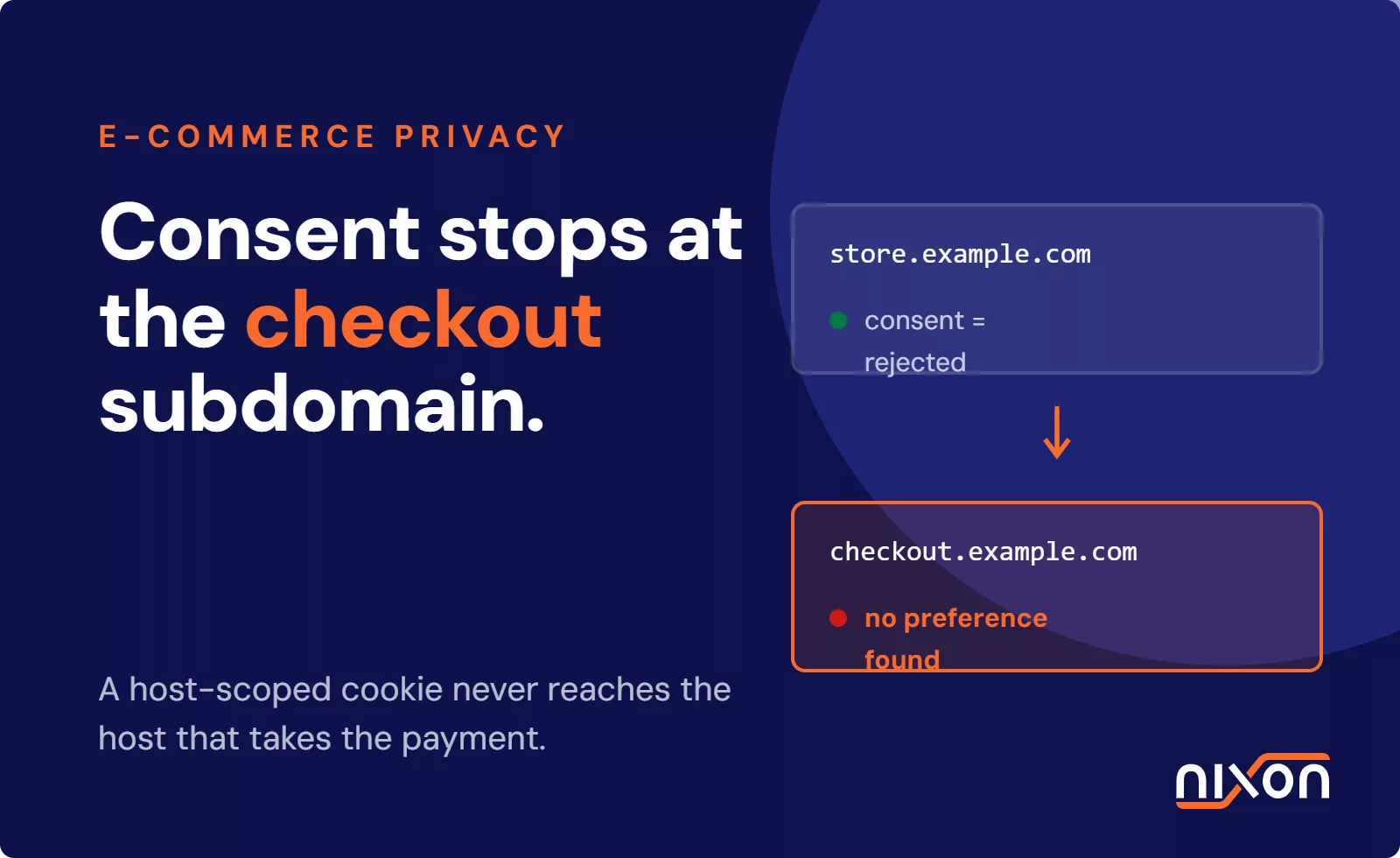
Cross-domain consent synchronization failures
Large enterprises rarely operate a single website. They manage diverse portfolios spanning multiple subdomains, regional country-code domains, and acquired digital brands. Synchronising user choices across these web properties presents severe architectural hurdles.
OneTrust and Usercentrics provide cross-domain consent mechanisms. They typically pass encrypted state values via URL parameters, shared local storage, or centralised authentication services. However, strict modern browser security models, including Safari Intelligent Tracking Prevention (ITP) and Chrome third-party cookie restrictions, frequently drop or isolate cross-origin parameters. When synchronization fails, users are repeatedly prompted for consent. Worse, previously opted-out users are treated as new visitors and tracked unlawfully. These configuration oversights amplify risks across multi-brand website portfolios when central compliance teams lack visibility over domain health.
Category classification mismatches between CMP and real tags
A consent banner categorises scripts into distinct groups, such as strictly necessary, functional, performance, and targeting. The integrity of the entire compliance architecture relies on the accuracy of this taxonomy.
Automated scanners routinely misclassify complex tracking scripts, labelling advertising pixels as operational tools or analytics as functional. If an engineering team maps a marketing tracker into the strictly necessary category within the CMP, that script will bypass all user controls. European regulators evaluate tracking by its actual technical function, not by the label assigned in an administrative dashboard. Categorisation errors lead directly to non-compliance fines under GDPR enforcement standards.
Which platform fits your organisation?
Don’t treat OneTrust and Usercentrics as interchangeable tools. For enterprise stacks, Usercentrics quickly runs out of headroom because web consent cannot live separate from vendor risk and RoPA records. The right choice depends on your operational governance requirements.
- Platform scope: OneTrust offers an integrated governance suite covering RoPA, DSAR, and vendor risk, whereas Usercentrics focuses purely on web banners and app SDKs.
- Pricing structure: OneTrust uses modular enterprise contracts built for scale, while Usercentrics prices primarily by session tiers and domain count.
- Tag management integration: Both support Google Tag Manager and Consent Mode v2, but Usercentrics relies heavily on DOM-level script rewriting through Smart Data Protector.
- Ideal fit: OneTrust serves global enterprises handling complex multi-jurisdiction stacks, while Usercentrics suits marketing teams with straightforward digital footprints.
When OneTrust is the right choice for enterprise governance
OneTrust is the clear choice for mid-market to global enterprise organisations that require unified privacy management. If your company must coordinate cookie banners, vendor assessments, RoPA documentation, and consumer rights requests across multiple jurisdictions, OneTrust provides the centralized data infrastructure needed to keep those audit trails in sync.
Its deep configuration capabilities allow multi-national enterprises to deploy tailored consent experiences governed by complex geo-location rules. For example, a single website can serve an opt-in banner in Germany under GDPR, an opt-out banner in California under CCPA, and a simplified notice in non-regulated territories. Realising this value requires disciplined technical oversight, because an enterprise system with this degree of flexibility fails when implemented with generic default settings.
When Usercentrics makes sense for focused marketing setups
Usercentrics is well suited for organisations that need a focused, website-centric consent tool without the overhead of enterprise risk management and RoPA tooling. Marketing and growth teams seeking a swift deployment to resolve local web compliance requirements can achieve results quickly with Usercentrics.
Its administrative portal focuses on the mechanics of domain management, banner design, and basic signal reporting. For businesses with straightforward digital footprints, low tag complexity, and no requirement for integrated vendor risk management, Usercentrics provides an accessible entry point. However, web teams must remain vigilant, as automated blocking features will not replace rigorous container governance.
A CMP banner is just an interface; real compliance happens at the tag execution layer. For organisations needing strict enterprise governance, OneTrust provides the deepest capabilities, but proper configuration is critical to prevent leaks. If you want to audit your existing setup or configure bulletproof tag triggers, get OneTrust implementation help from Nixon.
Frequently Asked Questions (FAQ)
Does OneTrust automatically block tracking cookies before user consent?
OneTrust does not automatically block all tracking cookies on its own. While it features an auto-blocking script, modern websites with asynchronous tags, custom scripts, or Google Tag Manager deployments require manual trigger configuration. If your tag manager is not explicitly wired to OneTrust consent variables, tags will continue to fire before user interaction.
Why do Usercentrics implementations still leak marketing tags?
Usercentrics implementations leak marketing tags when organisations rely entirely on automated script interception without container governance. Tools like the Smart Data Protector cannot reliably suppress scripts injected dynamically through modern web frameworks or asynchronous tag managers. Without strict trigger exceptions, marketing pixels execute during page load, transmitting personal data prior to user consent.
How does OneTrust pricing compare to Usercentrics for multi-domain setups?
Usercentrics prices primarily by monthly page view sessions and domain count, which can become expensive for high-traffic portfolios. OneTrust packages its software into modular enterprise contracts based on operational scale and feature sets. For large multi-brand portfolios requiring multi-jurisdiction compliance and governance integrations, OneTrust generally offers better volume economics despite higher initial minimums.
Can Google Tag Manager handle consent without a dedicated CMP?
Google Tag Manager includes Consent Mode APIs, but it cannot function as a legal consent mechanism by itself. A dedicated CMP is legally required to present user interfaces, capture explicit choices, maintain audit logs, and translate selections into actionable signals. GTM only enforces the consent states that a compliant CMP supplies.
What is the biggest implementation mistake when deploying OneTrust?
The most frequent mistake is publishing the OneTrust banner without updating tag manager firing rules. Teams assume pasting the script snippet ensures compliance, but tags continue to fire on standard page load triggers. Without mapping custom OneTrust dataLayer events to tag triggers, marketing scripts leak personal data regardless of user choices.