

Website privacy audits have moved from optional to essential. The European Data Protection Board’s 2026 coordinated enforcement action on transparency puts scrutiny directly on how organizations document their tracking practices and privacy disclosures. If your website collects data (and it does), you need to know what’s actually happening on your pages.
This website privacy audit checklist walks you through every step. You’ll learn what to check, why it matters and how to act on your findings.
Why website privacy audits matter
Privacy enforcement shifted in 2026. Regulators are no longer satisfied with policies buried in fine print. The EDPB’s current focus on Articles 12-14 of the GDPR means organizations must demonstrate that users actually understand what data collection is happening and why.
Most organizations have no idea what third-party tools are running on their websites. Marketeers install analytics, marketing pixels and session tracking tools without full visibility from privacy and compliance teams. This creates risk. When regulators audit your site, they will find what you missed.
A website privacy audit answers one simple question: what is actually happening on your pages and does it match what you told users in your privacy policy? The gap between those two things is where compliance problems live.
What a website privacy audit covers
A website privacy audit checks four main areas:
Third-party tools and connections. Every analytics service, advertising pixel, chatbot, form handler and external embed that touches your site. This includes scripts that fire before users give consent.
Consent mechanisms. Whether consent is genuinely informed, freely given and properly recorded. This means checking if users see privacy information before they interact with tracking tools.
Privacy policy accuracy. Whether your privacy policy actually describes the data flows happening on your website. Vague language and omissions count as inaccuracy.
Pre-consent tracking. Whether your website collects or transmits data before users have a chance to opt out. This is the most common violation we find.
A proper website privacy audit doesn’t just list these elements. It identifies where they conflict with each other and with regulatory requirements.
The pre-consent problem: tracking before ssers consent
This is the issue when scanning websites with Nixon Pro we often see: organizations track users before consent is confirmed.
A common scenario: a user lands on your homepage. Before they see your cookie consent banner or interact with anything, their browser has already sent data to a Google Analytics server, a Segment pixel and several ad tech vendors. Technically, under GDPR, this requires consent first. Most sites are not getting it.
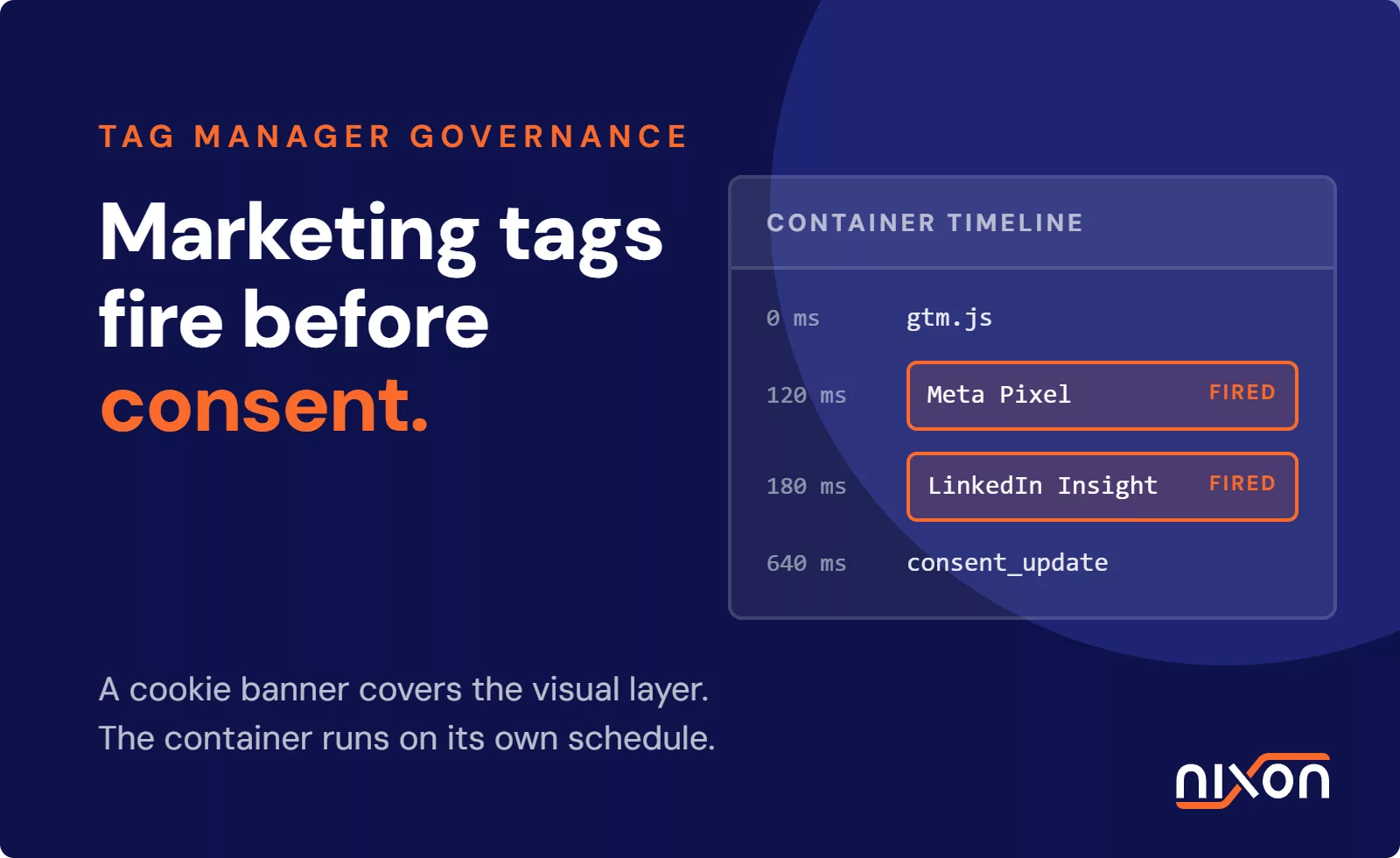
The mechanism is simple. A developer adds a tracking script to the site header or body. The script fires immediately when the page loads. The consent banner appears a split second later. By then, data has already left the visitor’s browser.
Some organizations implement what they call “consent management.” They use a consent platform that delays certain scripts. But we’ve found that many consent platforms still allow some tracking before consent is confirmed. They track which consent choice the user makes, or they load analytics in a way that happens before the user can reasonably click the consent interface.
This is not a technical oversight. It’s a compliance violation that regulators specifically target. The EDPB has stated clearly that pre-consent tracking violates the requirement for freely given consent.
Website Privacy Audit Checklist: Step by Step
Step 1: Map all third-party connections
Start with the most basic question: what is on your website?
Open your website in a browser, press F12 to open developer tools, switch to the Network tab and reload the page to watch everything that loads. You will see requests to dozens of domains. Some are your own. Most are not. These third-party domains are where your data goes.
Create a spreadsheet and list every unique domain that receives data from your site. For each one, note:
- What is this service (marketing, analytics, session recording, chat)?
- Why is it on your site (who installed it and when)?
- What data does it collect (names, email, behavior, device info)?
- What is the legal basis for that collection (consent, legitimate interest, contract)?
This alone will likely reveal services your organization forgot it was using. Privacy audits regularly surface six to twelve active trackers on websites that believed they only had two or three.
And that’s before you count the ones installed by marketing tools you approved months ago without reading the fine print. One tag manager container can fire twenty scripts. Each one is a data connection you’re responsible for.
Step 2: Check Consent Implementation
Once you know what’s there, verify whether consent is being requested and recorded properly.
Load your website in an incognito or private browser window (fresh cookies, no prior consent stored) and watch the order of events. Does a consent banner appear immediately, or does any data request fire first? Use the Network tab to check timestamps. If data leaves your site before the user sees a consent option, you have a pre-consent tracking problem.
If you have a consent management platform (CMP), test whether it’s actually blocking or delaying third-party scripts before consent. Many CMPs apply consent at the tag level but still allow underlying tracking to happen.
Test the actual consent choices by clicking “Reject All” and seeing what happens. Do some requests still fire? Do cookies still get set? Do pixels still load? If yes, your consent mechanism is broken.
Also verify that consent choice is being recorded. When you accept or reject, is a record being stored? When you return to the site, does the system remember your choice? This matters because GDPR requires organizations to prove that consent was obtained and recorded.
Step 3: Review Your Privacy Policy Against Articles 12-14
Articles 12-14 of the GDPR set requirements for transparency. Organizations must provide information that is “concise, transparent, intelligible and easily accessible.” This is not just a legal requirement. It’s the foundation of valid consent. Users cannot make informed choices if they don’t understand what will happen to their data.
Pull your privacy policy and read it as though you are a regular person visiting your website, not a lawyer. Does it clearly explain what categories of data you collect, why you collect it and on what legal basis, who you share it with, how long you keep it and what rights users have?
Look specifically for the gaps. If your privacy policy says you use Google Analytics but doesn’t mention YouTube videos embedded on your website (which also load YouTube tracking), that’s a gap. If you mention “analytics and advertising” but you actually work with seventeen specific vendors, that’s unclear.
Write down every piece of data collection that’s happening on your website (from Step 1) and verify whether it’s actually disclosed in your privacy policy. This matching exercise often reveals that your policy describes a different website than the one you actually operate.
Step 4: Test what happens before consent
This step specifically targets pre-consent tracking violations.
Doing this manually requires patience. Load your website, immediately open the Network tab and filter for requests to known tracking domains (Google Analytics, Facebook, ad exchanges, etc.). Are they firing before you’ve touched the consent banner? That’s your answer. Repeat this for every key page type on your website: homepage, product pages, blog posts, checkout. The tracking footprint often varies significantly between pages and a script that’s properly blocked on one page can fire freely on another.
The manual approach is genuinely time-consuming. A website with twenty pages needs twenty separate test cycles, and that’s before you account for different user states, device types and browser configurations. Tools like Nixon Pro automate this process: you enter your URL and get a structured report showing exactly which requests fire before consent across your entire website, categorized by tracker type and severity.
Also check what data is being sent in those requests. Some organizations argue that pre-consent tracking is acceptable if no persistent identifier is attached. GDPR regulates the collection of data itself, not just the identification of individuals. Even anonymous tracking requires consent if it is not truly necessary for website functionality.
Step 5: Document and Remediate
Compile your findings into a remediation plan and categorize issues by severity.
Critical: Pre-consent tracking, consent not being recorded or major inaccuracies in your privacy policy. These need immediate action.
High: Consent implementation gaps, vague privacy policy language or unclear data flows. Address these within 30 days.
Medium: Documentation gaps, missing vendor agreements or unclear legal bases. Plan remediation within 60-90 days.
For each issue, identify the owner (engineering, marketing, legal), set a deadline and track progress. A website privacy audit is not a one-time exercise.
Common findings in website privacy audits
Every industry audit we run surfaces predictable problems.
Multiple implementations of the same tool. The analytics vendor is installed twice, the ad pixel is loaded from two different tag managers, the chat tool appears in the code twice. This happens because different teams add tools without coordinating. It increases data exposure and compliance risk.
Consent that isn’t really consent. Cookie banners that make rejection harder than acceptance, consent platforms that pre-check boxes and cookie walls that don’t truly allow users to opt out. These don’t meet GDPR’s standard for freely given consent.
Privacy policies that don’t match reality. The policy mentions Google Analytics but not Hotjar. It describes one month of data retention but the cookies actually persist for two years. It doesn’t mention the data broker relationship where you sell aggregated visitor data. The gap between promise and practice is where enforcement actions start.
Legitimate interest assessments that don’t exist. Many organizations claim legitimate interest as the legal basis for tracking but they’ve never actually documented why they believe the interest outweighs user rights. This is a documentation failure that fails regulatory audit.
Third parties with no data processing agreements. GDPR requires written agreements with vendors who process personal data on your behalf. Most organizations have never signed these with their analytics vendors, ad networks or session recording tools.
Tracking from tools you didn’t know you installed. Developers add tools for troubleshooting and forget to remove them. Agencies embed pixels in templates and never document them. The website collects data through channels nobody in the organization knows about.
These aren’t unique to your organization. They’re structural problems in how web tools are deployed and managed. A website privacy audit surfaces them. Addressing them requires commitment from engineering, marketing and legal teams.
How often should you audit your website privacy?
An initial website privacy audit is essential if you’ve never run one. Plan for it to take 40-80 hours depending on website complexity and team coordination.
After that, the question is not whether to audit again, but when.
Run a full website privacy audit annually. Website tools change, vendor relationships evolve and regulatory expectations shift. An annual cycle keeps you compliant and catches drift before it becomes a problem.
Run a focused website privacy audit when you add a new tool. Before you deploy Google Tag Manager, Hotjar, Intercom or any data-collecting service, audit the privacy impact. What data will it access? Does your privacy policy cover it? Does your consent structure support it?
Run an audit after a policy or process change. If you change your consent mechanism, update your privacy policy, switch analytics vendors or modify how you use cookies, audit the impact. Small changes create unexpected ripple effects.
Audit in response to regulatory activity. The EDPB publishes guidance, the ICO updates its expectations and privacy laws change in your target markets. When external requirements shift, audit to ensure compliance.
Monitor continuously between audits. An annual website privacy audit is not enough by itself. Implement monitoring that alerts you when unauthorized scripts load, when consent flow breaks or when your website transmits data to unexpected vendors. Continuous monitoring catches problems in hours rather than months.
Moving from audit to compliance
Running an audit is not the same as achieving compliance. A website privacy audit is a diagnostic tool. It identifies gaps. The actual work is closing them.
After your audit, your organization will face decisions. Do you remediate immediately or over time? (Regulators expect timely action, especially for critical issues.) Who owns ongoing compliance? (It’s not enough to run a one-time audit. Someone needs to maintain compliance as the website evolves.) How do you prevent drift? (New tools get added. Code changes. Without ongoing governance, you’ll be non-compliant within months of achieving compliance.) How do you prove you were auditing? (Regulators value organizations that can demonstrate they took compliance seriously. Documentation of your audit, findings and remediation plan is evidence of good faith.)
An effective compliance program combines initial auditing with ongoing monitoring. This is where many organizations struggle. They complete a website privacy audit, fix the critical issues and then forget about privacy until the next regulatory action.
The stronger approach is to treat your website privacy audit as the beginning of a program, not a project you complete and close. Assign clear responsibility, establish processes for evaluating new tools before they go live, document your decisions and review quarterly.
Key References and Authorities
Conclusion: Start With Audit, Continue With Monitoring
You cannot secure what you do not measure. A website privacy audit is your measurement tool. It forces the question: what is actually happening on our website and is it what we promised users?
For most organizations, the audit alone surfaces surprises. Third parties you forgot about, consent mechanisms that do not work as expected and privacy policies that do not match reality. These discoveries are not failures. They’re opportunities to fix compliance problems before regulators find them.
Start with a website privacy audit. Map your third parties, check your consent implementation, verify your privacy policy matches your data practices and specifically test for pre-consent tracking. Document your findings clearly, assign remediation owners and create timelines.
Your website privacy audit is not optional. It’s the foundation of a serious compliance program.
If you’re ready to start, Nixon Pro automates the scan: enter your URL and get a detailed report of every tracker, third-party connection and consent gap on your website.
Related reading: How to audit your cookie banner | Pre-consent tracking: why most websites still get it wrong | How to find every tracker on your website
Frequently Asked Questions
What does a website privacy audit actually check?
A privacy audit covers four areas: which third-party tools and scripts are running on your site, whether your consent mechanism is genuinely blocking tracking before a user makes a choice, whether your privacy policy accurately describes what your website actually does, and whether any tracking fires before consent is confirmed. The gap between what your privacy policy says and what your website does is where most compliance problems are found.
How many trackers should I expect to find on my website?
More than you think. Privacy audits regularly surface six to twelve active trackers on websites that believed they only had two or three. One tag manager container alone can fire twenty scripts. Developers add tools for troubleshooting and forget to remove them. Agencies embed pixels in templates without documenting them. The audit step of mapping every third-party domain that receives data from your site almost always reveals services your organization forgot it was running.
How do I test whether my consent banner is actually working?
Open your website in a private browser window with no prior consent stored and watch the Network tab as the page loads. Check whether any data requests fire before the consent banner appears. Then click “Reject All” and check whether requests still fire, cookies still get set or pixels still load. If any of those things happen, your consent mechanism is not working as intended. Also verify that consent choices are being recorded and remembered when a user returns to the site.
ow often should we run a website privacy audit?
Run a full audit at least annually – website tools change, vendor relationships shift and regulatory expectations evolve. Beyond that, run a focused audit before deploying any new data-collecting tool, after changes to your consent mechanism or privacy policy, and when relevant regulatory guidance is updated. Between formal audits, continuous monitoring is essential – catching a new unauthorized script in hours is far better than discovering it months later during enforcement.
What are the most critical findings that need immediate action?
Three issues require immediate remediation: pre-consent tracking where data leaves the browser before a user has made a consent choice, consent not being properly recorded, and significant inaccuracies in your privacy policy. High-priority issues to fix within 30 days include consent implementation gaps and vague policy language. Medium-priority issues like missing vendor data processing agreements and undocumented legal bases should be addressed within 60 to 90 days. The distinction matters because regulators expect timely action on critical issues – and document that you took action.