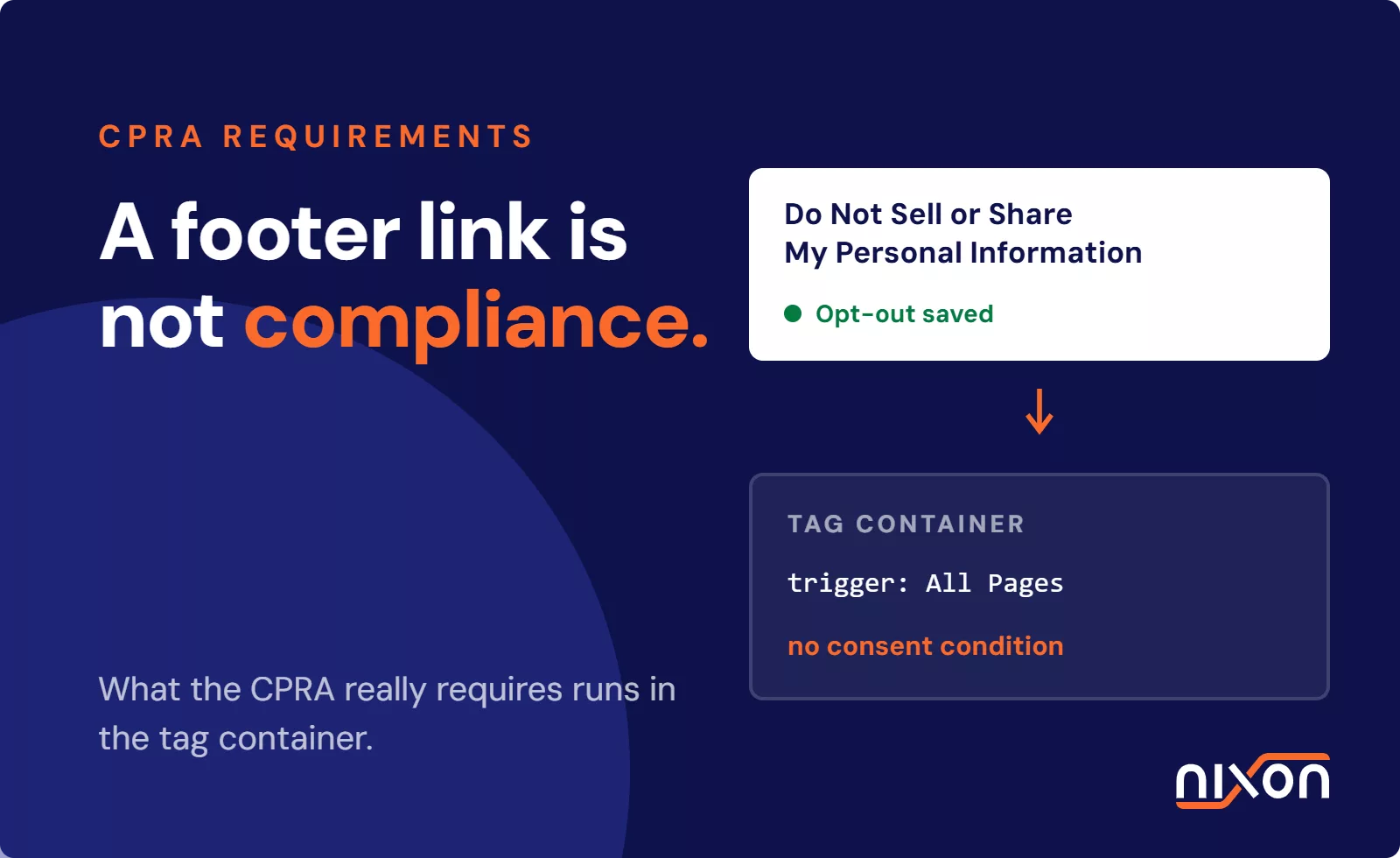

CPRA requirements for websites mandate that businesses give California residents explicit control over personal data collection and automated sharing. Under the California Privacy Rights Act, commercial properties must honor Global Privacy Control signals, provide clear notices at collection, display compliant opt-out links and halt downstream ad trackers immediately. When auditing corporate digital properties, we see teams paste a Do Not Sell link into the footer while marketing tags continue firing behind it. Static disclaimers do not satisfy California regulators if analytics and ad tech scripts run before recording consumer choices.
Meeting technical CPRA requirements for websites comes down to four core operational pillars:
- A visible notice at collection presented before any tracking script executes.
- Automated browser signal suppression via Global Privacy Control (GPC).
- A functional Do Not Sell or Share My Personal Information link.
- Tag management rules that halt downstream ad payloads instantly.
How the CPRA redefined selling and sharing on websites
The statute fundamentally altered how engineering teams must manage data flows. Under older legal interpretations, companies argued that loading a marketing script was not a sale, but that loophole closed entirely when the CPRA regulations took effect and classified cross-context behavioral ads as sharing.
Cross-context behavioral advertising classified as sharing
The statute draws a hard line between basic site analytics and targeting platforms. Cross-context behavioral advertising means targeting a consumer using personal information gathered across distinct digital properties. California treats passing device identifiers, page visits or behavioral signals to third-party ad networks as legal sharing. This rule applies even when no money changes hands between parties.
Third-party trackers and automated data disclosure
Commercial websites run dozens of marketing scripts that broadcast unique identifiers the millisecond a page loads. Publishing a static privacy policy does nothing to stop that outbound network request. If your tag container does not actively block these scripts when an opt-out applies, your site unlawfully discloses consumer data. If your team cannot trace or control these automated calls, you will likely need to remove third-party trackers that create compliance exposure without delivering real business value.
The gap between legal disclaimers and tag execution
Legal teams write detailed disclosures, but engineering teams rarely align tag execution with those legal commitments. A compliant footer link is completely useless if your underlying JavaScript ignores visitor settings. The California Privacy Protection Agency inspects live browser requests, cookie drops and script payloads. When outbound requests fire before a visitor can opt out, the company violates the law. Bridging this disconnect requires direct collaboration between privacy counsel and the front-end engineers who maintain your site templates.
Global Privacy Control and mandatory opt-out signals
Browser-level signals create a difficult technical challenge for standard tag architectures. California law forces digital properties to honor automated consumer choices sent through browser headers. This rule eliminates the need for visitors to submit manual opt-out requests on every individual domain.
The legal mandate under CPPA regulations
Under California Privacy Protection Agency Regulations § 7025, businesses that sell or share personal information must honor opt-out preference signals. The regulation explicitly cites Global Privacy Control as an established statutory standard. If a California resident visits your domain with an active GPC header, your site must suppress data sharing tags immediately without human intervention.
How GPC signals work in visitor browsers
Global Privacy Control works through an HTTP header or a DOM property in supporting browsers. When active, the client transmits Sec-GPC: 1 inside its network headers and sets navigator.globalPrivacyControl to true inside the browser window. When auditing client implementations and front-end tag configurations, we regularly see developers check this property too late in the script execution chain, after marketing tags have already broadcasted network requests. Your front-end logic must evaluate GPC during early initialization, cutting off remarketing tags before they transmit user identifiers.
Frictionless processing requirements
The regulations prohibit dark patterns and extra steps when processing preference signals. You cannot demand that users verify their identity or click a confirmation modal before you honor their choice. You also cannot display an intrusive pop-up asking the user to reconsider or waive their choice. The opt-out must apply instantly to the active browsing session and sync with any known customer profile.
What are the CPRA notice and footer link requirements?
Automated browser signals are mandatory, but visible footer links remain a baseline requirement. Visitors using mainstream browsers without native privacy settings still need an accessible way to block data sharing.
Alternative opt-out link requirements
Businesses must present an explicit link titled Do Not Sell or Share My Personal Information. Reviewing the statutory Do Not Sell My Personal Information link requirements helps teams build compliant UI components. The CPRA allows an alternative opt-out link that combines the right to opt out with the right to limit sensitive data usage. This alternative link must feature the state-approved opt-out icon and must open a working opt-out control immediately.
Notice at collection timing and contents
California law requires a notice at collection at or before the instant tracking begins. On a website, this notice must be visible before tags record IP addresses, device fingerprints or page visits. The notice must list every category of personal information collected, the business purpose for collecting it and the retention window for each type. Hiding these disclosures inside general terms of service does not satisfy the statute.
Consumer request intake workflows
When a visitor clicks your opt-out link, your site must record that choice in an auditable data store. If the user is logged in, you must link their opt-out status across all active devices. If the user is anonymous, your scripts must persist their preference using a compliant local storage key or cookie. This setting must trigger custom events in your tag architecture so downstream scripts stop firing right away.
Configuring your CMP and tag manager for CPRA
A consent management platform does not fix compliance on its own. It merely provides a front-end interface. The actual compliance work happens inside your tag management system, where you establish conditional firing logic.
Suppressing advertising tags upon opt-out
Default tag container setups fire marketing tags on initial page load or DOM ready triggers. Under California law, ad pixels cannot run once a consumer signals an opt-out choice. Every marketing tag inside your container must depend on custom triggers that read current consent state. If the CMP shows an opt-out, or if the GPC variable equals true, your tag manager must block the Meta Pixel, LinkedIn Insight Tag and Google Ads tags from injecting scripts into the page.
Implementing vendor rules in OneTrust and Usercentrics
Enterprise platforms require deliberate configuration to connect browser signals to vendor suppression rules. A standard OneTrust cookie consent setup will not stop rogue tags if your container ignores CMP categories. When setting up OneTrust, you must verify that California geolocation rules serve an opt-out model rather than an opt-in banner. You must also turn on native GPC listening so the platform pushes opt-out events to your data layer, prompting Google Tag Manager to silence ad vendors.
Handling service provider contract boundaries
Not every third-party tag triggers a data sale or share. Platforms operating strictly as statutory service providers do not create sharing liability, provided you execute a valid data processing agreement. Basic performance analytics that do not profile visitors across external sites may continue running. However, you must verify that vendor contracts restrict data usage and forbid vendors from using consumer records to train external advertising models.
How California regulators audit website compliance
California privacy enforcement is an active operational risk. The state now runs dedicated technical investigations that inspect live digital assets rather than relying on manual document reviews.
Network traffic inspection and tracker discovery
Regulators audit websites using automated tools that inspect HTTP payloads rather than reading privacy policies. Official California Department of Justice CCPA Enforcement Notices detail actions against brands that ignored browser signals or misclassified ad pixels. State investigators open the network tab to trace outgoing POST requests, log tracking parameters and catch rogue third-party cookies during GPC-enabled test runs.
Automated sweeps by state investigators
The California Attorney General runs systematic investigative sweeps across retail, media and healthcare brands. These investigations use automated headless browsers that simulate California consumers browsing commercial websites. The testing tools record whether digital properties drop ad tags before processing privacy choices. When an automated scan identifies broken tag suppression, enforcement inquiries follow quickly.
Common technical enforcement triggers
In our audits, tag governance oversights cause most failures: a marketing team drops an untested widget onto checkout, or an agency updates GTM and accidentally wipes conditional firing triggers. Other companies run CMP banners that display a confirmation message while failing to suppress the underlying JavaScript. Digital teams must carry out regular CCPA-compliant website verification across all production page templates.
Checking outbound network requests across every template manually is slow and prone to human error. To uncover unauthorized third-party tracking scripts and ensure your site satisfies CPRA requirements for websites, you can check your privacy compliance with Nixon Pro and give your engineering team an actionable remediation plan.
Frequently Asked Questions (FAQ)
Does CPRA require an opt-in cookie banner like the GDPR?
No, the CPRA operates on an opt-out framework rather than the prior opt-in consent model required by the GDPR. Websites may load non-sensitive analytics and marketing tags by default. However, businesses must provide immediate mechanisms for consumers to opt out of the sale or sharing of their personal information, and must respect automated browser signals instantly.
What is the difference between selling and sharing under CPRA?
Selling involves disclosing personal information to a third party for monetary or other valuable consideration. Sharing specifically refers to disclosing personal information to a third party for cross-context behavioral advertising, whether or not money is exchanged. This explicit distinction ensures standard ad retargeting and tracking scripts fall squarely within California regulatory oversight.
How does a website detect and process Global Privacy Control signals?
A website detects Global Privacy Control by checking the Sec-GPC HTTP request header sent by the browser or by inspecting the client window property. When the signal is present, client-side scripts and consent management platforms must read the variable and immediately block marketing tags from firing, treating the signal as a frictionless opt-out request.
What happens if third-party trackers load before a user can opt out?
If third-party advertising scripts transmit personal data prior to honoring opt-outs or evaluating browser preference signals, the business may be held liable for unlawful data sharing. Regulators inspect outbound network payloads upon initial page load. Firing advertising pixels before checking for active opt-out preferences creates immediate technical non-compliance.
Can a standard tag manager setup cause CPRA non-compliance?
Yes, standard tag manager implementations often cause violations by firing marketing tags on universal triggers like page view or DOM ready. Without custom blocking triggers linked to consent states or Global Privacy Control detection, tags will execute regardless of consumer preferences, unlawfully passing personal information to third-party ad networks.