
A continuous website privacy audit program is an automated system for discovering and validating compliance risks across a website portfolio. It replaces periodic manual audits with ongoing monitoring to prevent drift from daily changes to marketing tags and third-party scripts. This ensures governance keeps pace with development. This article details how to operationalize such a program to maintain governance, assign clear ownership, and catch script violations automatically. It moves beyond outdated methods to check website privacy compliance that no longer suffice.
Why manual point-in-time audits fail modern compliance teams
Relying on annual or quarterly manual audits creates significant risk windows. Non-compliant tracking can operate undetected for months within these gaps. The technical reality of a modern enterprise website is one of constant change. A manual check captures a single snapshot in time. This snapshot becomes obsolete the moment a team launches a new marketing campaign or a vendor updates its embedded script. This static approach is fundamentally misaligned with the dynamic digital environment it governs.
What is marketing tag drift and why is it a risk?
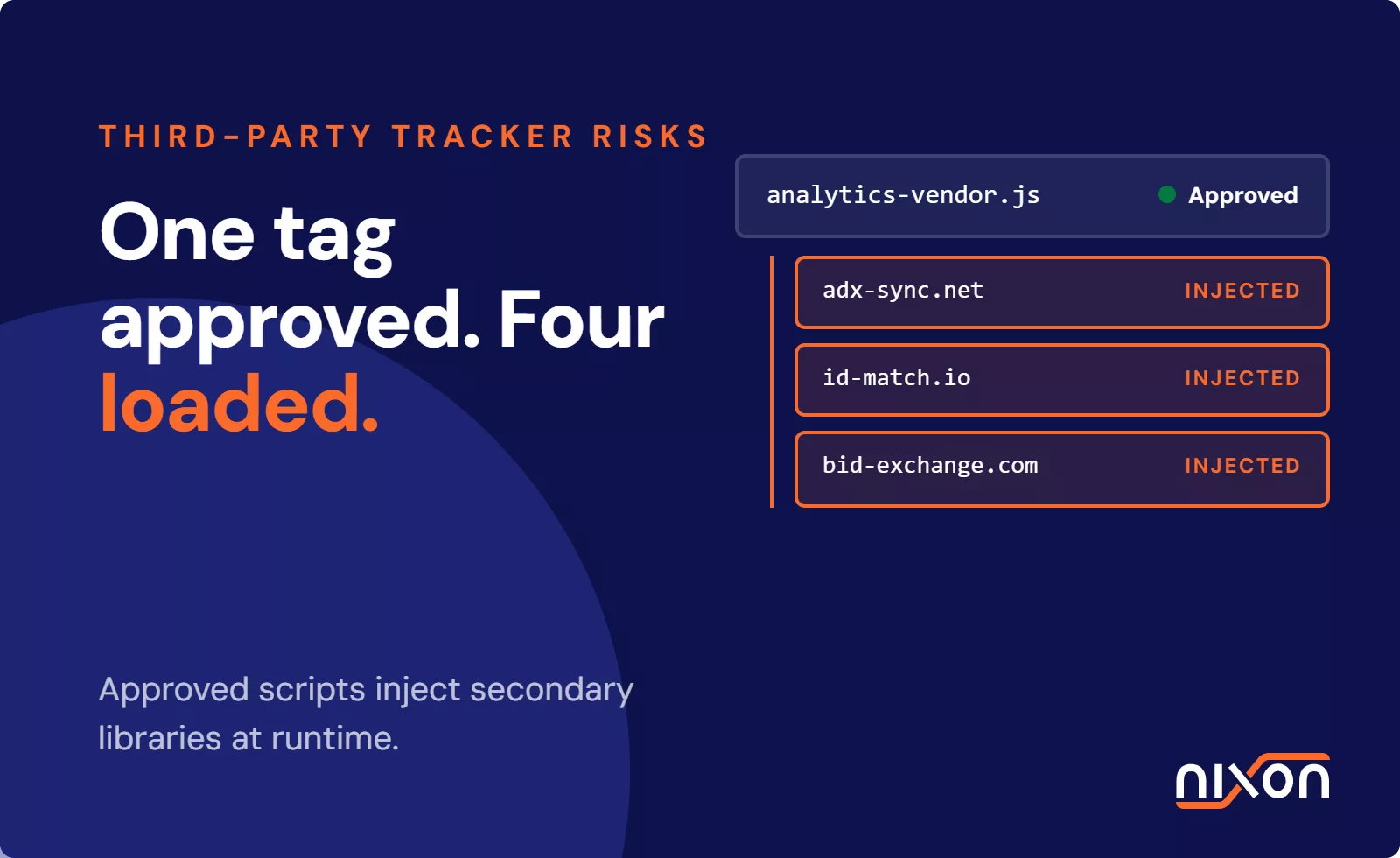
Marketing and analytics teams frequently add or modify tags through tools like Google Tag Manager. They do this to support new campaigns or features, often without direct oversight from the Data Protection Officer (DPO) or legal teams. Each new script, from a social media pixel to an A/B testing tool, introduces a new data processor and potential privacy risk. Without continuous monitoring, these additions accumulate over time. This phenomenon, known as “tag drift,” creates a significant gap between the company’s privacy policy and its actual data collection practices.
How does regulatory focus impact tracking enforcement?
Data protection authorities increasingly focus on the technical implementation of consent, not just the presence of a privacy policy. The EDPB Guidelines 05/2020 on consent make it clear: you must obtain consent before your website places any non-essential cookies or activates trackers. Similarly, French regulator guidance, such as the CNIL guidelines on cookies and tracking devices, emphasizes that users must be able to withdraw consent as easily as they gave it. These rules require a persistent, verifiable link between the user’s choice and the website’s technical behavior. A point-in-time audit cannot guarantee this.
Core components of a continuous website privacy audit program
An effective program moves beyond manual checks and builds an automated system for discovery, validation, and alerting. It treats website privacy not as a one-time project but as an ongoing operational discipline, similar to cybersecurity monitoring. This requires a technical foundation that can keep pace with the rate of change on the web properties it governs.
How do you establish automated discovery and inventory baselines?
The first step is creating a complete and current inventory of all web assets. This includes primary brand domains, marketing campaign landing pages, regional subdomains, and development environments. An automated crawler scans these properties to identify every first-party and third-party script, cookie, pixel, and other tracking technology present. This process creates a compliance baseline. This is an authoritative record of what is running on each website, against which you can measure all future changes.
How do you validate CMP execution against network calls?
A continuous audit program must verify that the consent management platform works correctly. This involves more than just checking if a banner appears. Automated scans must simulate a user visit, decline consent, and then inspect all network traffic. This confirms that the website loaded no non-essential tracking scripts. These technical tracker detection techniques provide objective proof that the website respects the user’s choice. They close the gap between the consent interface and the tag management backend.
How do you integrate real-time alerts into developer workflows?
When a scan detects a deviation from the baseline, it triggers an automated alert. An example is a new unauthorized tracker or a script firing before consent. For the program to be effective, you must route these alerts directly into the existing workflows of the teams responsible for remediation. Integrating alerts with tools like Jira, Slack, or Microsoft Teams ensures that teams assign, track, and resolve compliance issues as part of the standard web development process. The issues do not just sit in a DPO’s inbox.
Establishing governance roles and audit cadences
Technology alone is not enough. A successful website privacy audit program requires clear governance, defined roles, and a practical schedule for scanning and review. This structure ensures that teams not only generate findings but also act upon them at the right time. Properly defining ownership is critical to addressing the compliance risks in multi-brand website portfolios.
How do you define ownership between legal, DPO, and web ops?
Responsibility for website privacy is shared across several departments. A clear RACI (Responsible, Accountable, Consulted, Informed) matrix is essential.
- The DPO and Legal team are accountable for overall compliance strategy, risk assessment, and policy setting. They define what constitutes a compliant tracker.
- Web Operations and Development are responsible for implementing technical controls, configuring the CMP, and remediating issues identified by scans.
- The Marketing and Analytics teams are consulted on the business need for specific trackers and informed of which tools are approved for use.
How do you set scan cadences based on a website risk model?
Not all websites require the same level of scrutiny. A tiered approach to scanning frequency optimizes resources while managing risk effectively.
- High-risk properties like primary corporate websites, e-commerce platforms, and sites processing sensitive data should be scanned daily.
- Medium-risk properties such as marketing campaign sites, regional brand sites, and blogs can be scanned weekly.
- Low-risk properties like static informational sites or archived domains might only require monthly or quarterly scans.
Addressing CMP implementation gaps before audit escalation
One of the most common findings in website audits is the failure of a CMP to prevent trackers from loading. The banner may correctly record a user’s rejection of cookies, but the website still activates the underlying scripts. This technical gap is a primary source of non-compliance and a key focus for any continuous audit program.
Why do consent banners fail while tags still fire?
This failure typically occurs because of a misconfiguration between the CMP and the tag management system. The CMP generates a consent signal, but the triggers within Google Tag Manager or a similar tool are not configured to listen for and respect that signal. As a result, tags fire on page load, completely ignoring the user’s preference. The banner provides the illusion of control, but the data collection continues in the background. This violates GDPR and other privacy regulations.
How do you enforce tag manager triggers across a portfolio?
To fix this, organizations must audit their tag manager configurations. They must ensure every non-essential tag is conditioned on an affirmative consent signal from the CMP. This involves creating specific triggers that check the consent status before allowing a tag to fire. For companies with dozens or hundreds of websites, standardizing these configurations through a master tag manager container or using automated governance tools is essential. Performing checks like validating your OneTrust consent setup becomes a routine part of the process, not a one-off project.
Moving beyond manual spreadsheets is no longer optional. A continuous website privacy audit program eliminates compliance gaps by automating script detection, validating consent enforcement, and establishing clear technical workflows. To stop compliance drift before it starts, see how the Nixon Platform can automate your website privacy audits.
Frequently Asked Questions (FAQ)
How often should an enterprise run a website privacy audit?
The frequency depends on the website's risk and complexity. High-risk properties, like e-commerce sites or those handling sensitive data, should be scanned daily. Medium-risk sites, such as marketing campaign pages, can be scanned weekly. Low-risk, static informational websites may only need monthly or quarterly scans. A continuous program adjusts these cadences based on real-world changes.
What is the difference between a point-in-time scan and a continuous website privacy audit program?
A point-in-time scan is a manual check that captures a website's compliance status at a single moment. It quickly becomes outdated. A continuous program uses automated technology to scan websites constantly, providing ongoing monitoring, real-time alerts for new trackers or configuration issues, and an up-to-date inventory of all tracking technologies across a digital portfolio.
Who is responsible for managing a website privacy audit program?
Responsibility is shared. The Data Protection Officer (DPO) or legal team is accountable for the overall compliance strategy and policy. The web operations or development team is responsible for the technical implementation and fixing issues. Marketing teams are consulted on the business needs for trackers. Clear roles prevent gaps in ownership and ensure findings are acted upon.
How do automated audit tools detect unapproved website trackers?
Automated tools work by first creating a baseline inventory of all known and approved scripts on a website. They then perform regular scans, crawling the site like a user. During each scan, they compare the detected scripts against the approved baseline. If a new or unknown script appears, the tool flags it and generates an alert for the responsible team to investigate.
Why do CMPs fail to block tracking scripts even when visitors decline consent?
This common failure usually results from a misconfiguration between the Consent Management Platform (CMP) and the site's tag manager. The CMP correctly records the user's 'decline' choice, but the tag manager isn't set up to listen for that signal. Consequently, the tracking tags fire on page load as a default, ignoring the user's preference and violating privacy regulations.